CATERINGS SAAS
How fixing diet renewal flow lifted conversions by 8pp
Caterings provides catering companies with a turnkey SaaS solution that unites e-commerce, logistics, and CRM into one platform.
In this project, I redesigned the quick order renewal flow for diet subscription customers, addressing critical friction points —ultimately driving higher revenue and lower operational costs for catering businesses.
PROBLEM
Pain points that led to checkout friction
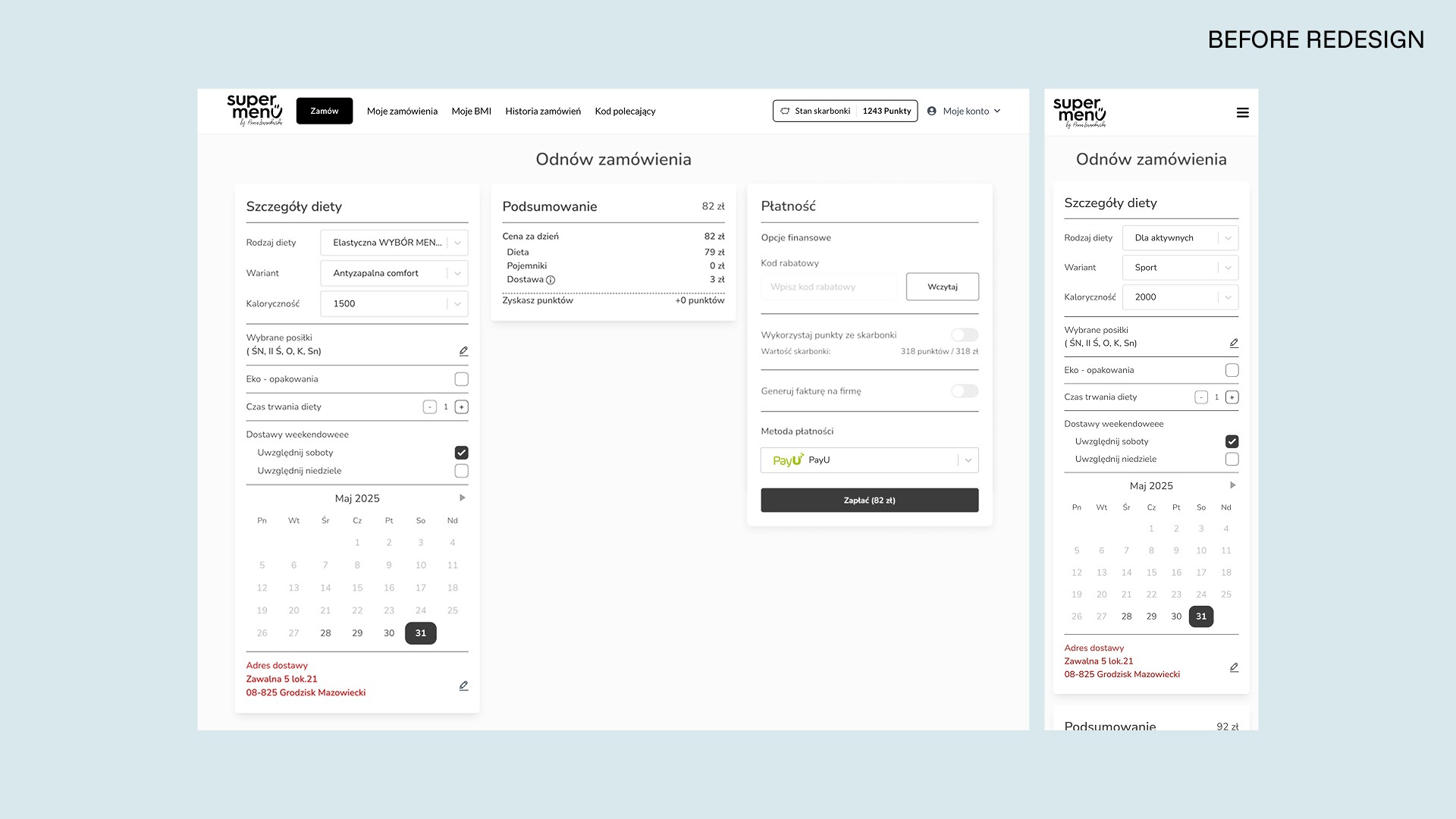
The order renewal flow was intended to streamline repeat purchases, without going through the full multi-step diet configuration. However, customer support feedback and session recordings revealed several issues that caused user errors, support load, and checkout drop-offs:
Users couldn’t renew inactive (historical) diets — renewals weren't possible from order history.
Users with multiple diets had to renew each diet separately — going through checkout twice caused frustration.
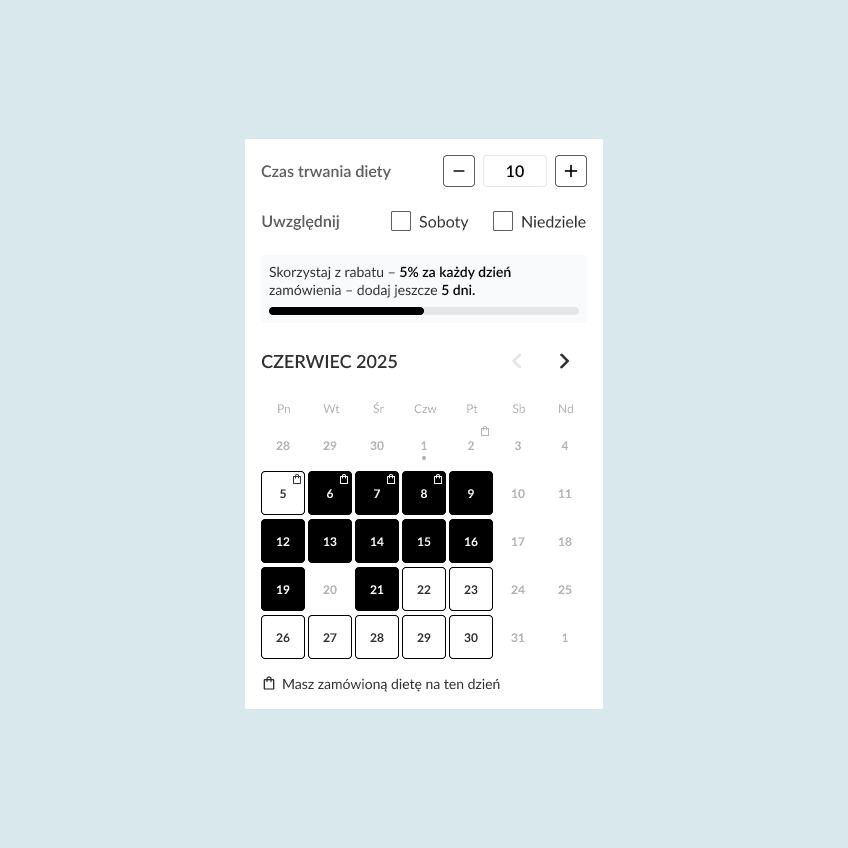
Discount information was missing on the renewal form — users couldn’t see how many more days were needed to earn length-based discounts, leading to drop-offs.
No indication of days already covered by existing orders in the calendar — users had to leave the flow to check the schedule.
User's custom meal configuration wasn't preserved — users had to manually fix defaults that overwrote their choices.
Cluttered layout — UI issues increased cognitive load and hindered user experience.
IMPACT
+8 pp conversion rate
–15% time-to-purchase
fewer support tickets
MY RESPONSIBILITIES
Behavioral data analysis
Wireframing
Hi-fi design
SOLUTION
Product changes that moved the needle
The work spanned three areas: expanding the flow, fixing UX issues that caused friction, and cleaning up years of UI debt.
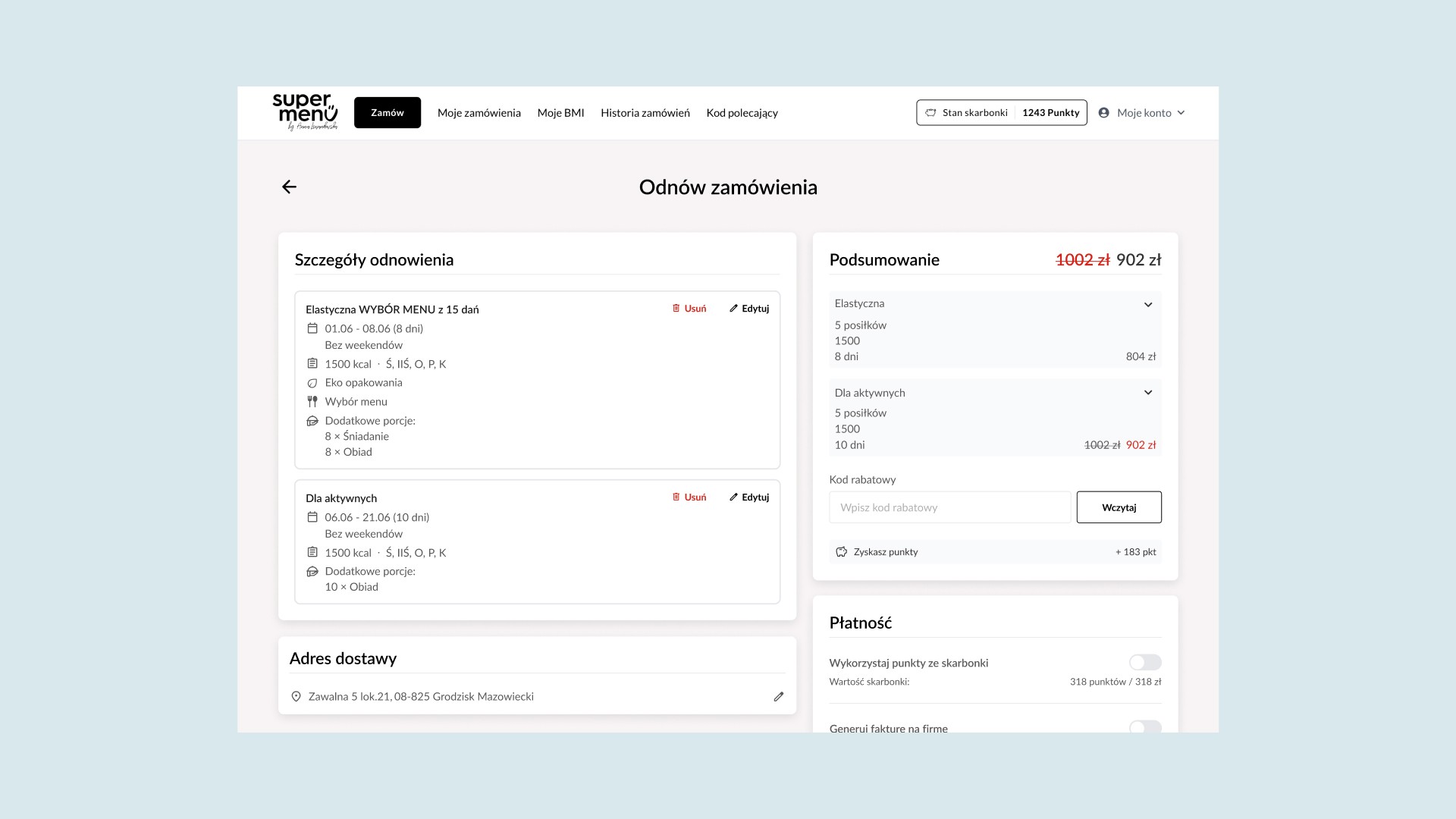
Historical and multi-diet order renewal
Users can now renew historical, inactive diets, making it faster for returning customers to reorder.
Full-order renewals allow multiple diets to be paid for in a single checkout.
Reduced friction in the renewal form
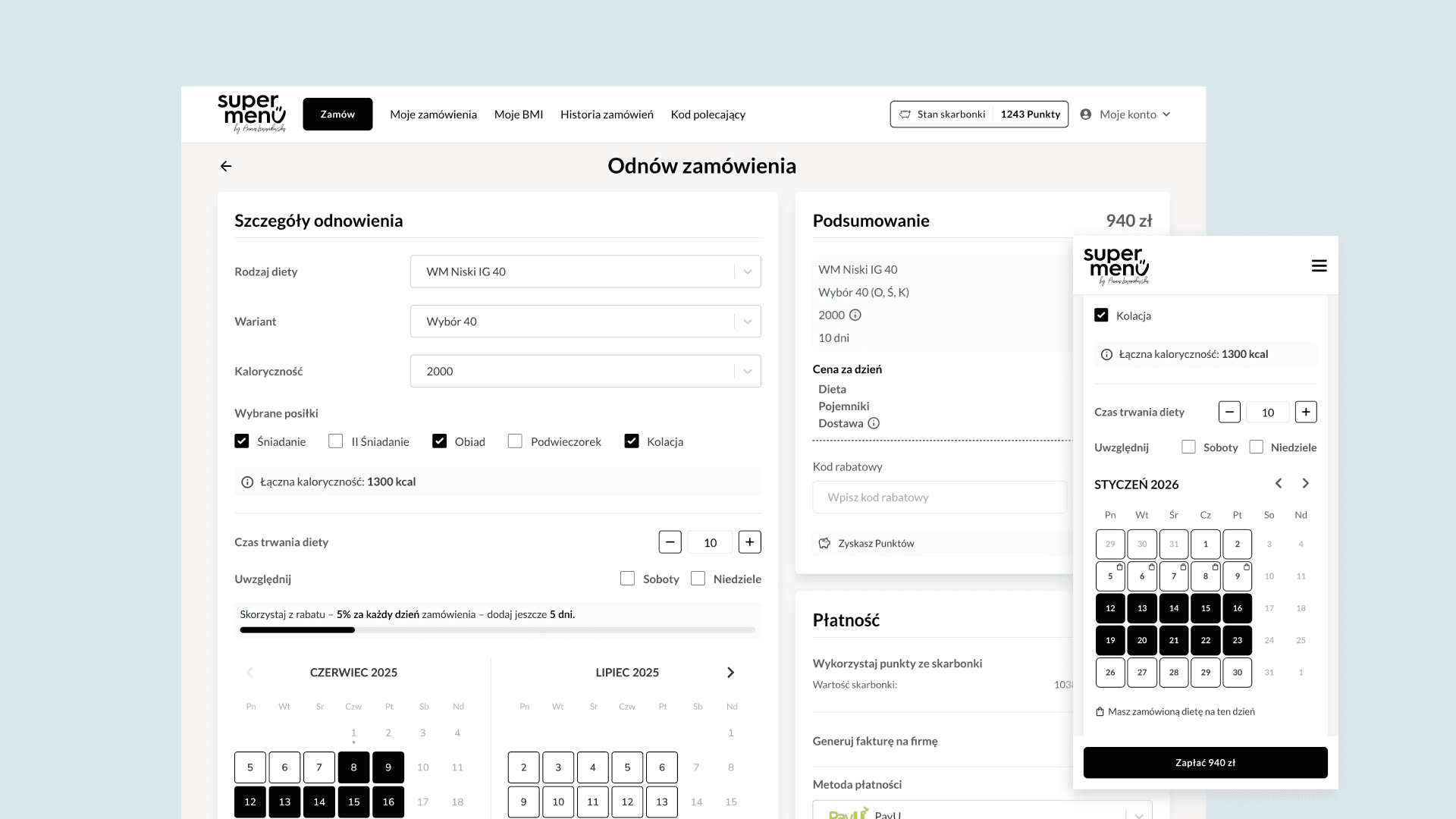
Preserved users’ previous diet configurations.
Clearly marked days already covered by existing deliveries to avoid confusion.
Displayed diet-length discounts upfront to increase conversion.
Refreshed UI and improved layout
Redesigned with a two-column layout for better readability.
Replaced the meal-type modal with inline checkboxes.
Moved address field to a separate section for clarity.
Overall, the changes modernized the interface, enhanced usability, and reduced user errors.
IMPACT
Higher revenue, faster checkouts, fewer support tickets
Improvements in the order renewal form increased conversion rate by ~8 pp and decreased renewal time by ~15% on average.
DESIGN CHALLENGES AND DECISIONS
Navigating trade-offs
Before committing to the redesign, I first questioned whether the renewal flow should be maintained at all. My key concern was that it doesn't support renewing add-ons or extra meals/portions, failing to meet the needs of around 50% of users and limiting upselling opportunity for caterings.
Why not add those features? Re-adding add-ons or extra meals 1:1 from previous order is impossible, as users choose them for different days. Moreover, adding complex configuration would essentially duplicate the main ordering flow and contradict the very idea of quick reorder.
So what about redirecting users to the main flow instead? We could pre-fill settings in the main configuration flow to support both quick order renewal and full customization. This would also enable upselling. But this approach would have required extensive consultations with catering partners and user interviews that didn’t fit our roadmap.
The decision: We ultimately chose to improve the usability of the existing flow instead.