CATERINGS SAAS
How I cut customer support volume by redesigning the order management experience
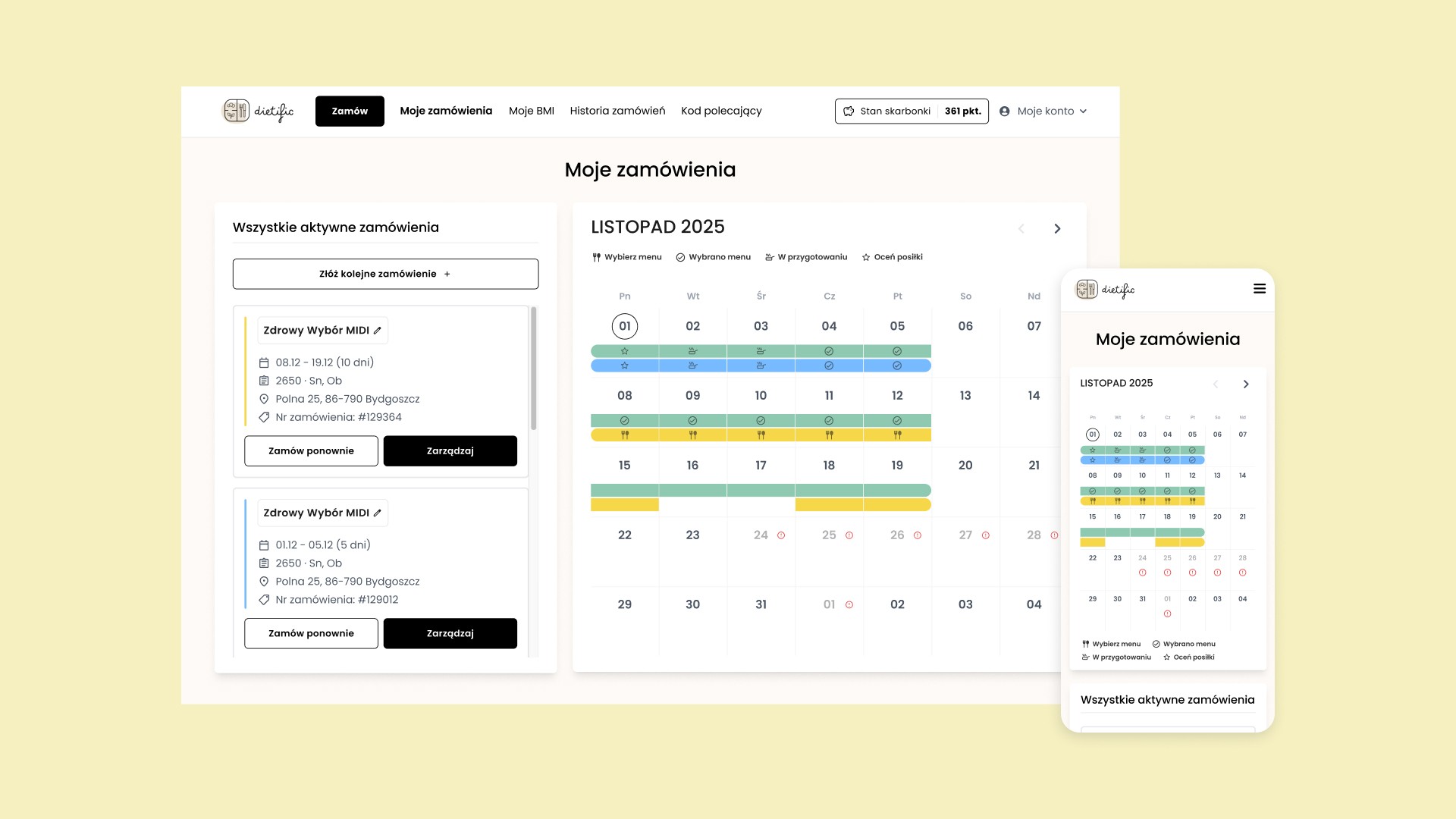
Caterings provides catering companies with a turnkey SaaS solution that unites e-commerce, logistics, and CRM into one platform.
In this project, I redesigned the order management experience for end customers, helping them track multiple diet subscriptions more easily, which translated to fewer support tickets and lower operational costs for catering businesses.
PROBLEM
When UX friction hits the bottom line
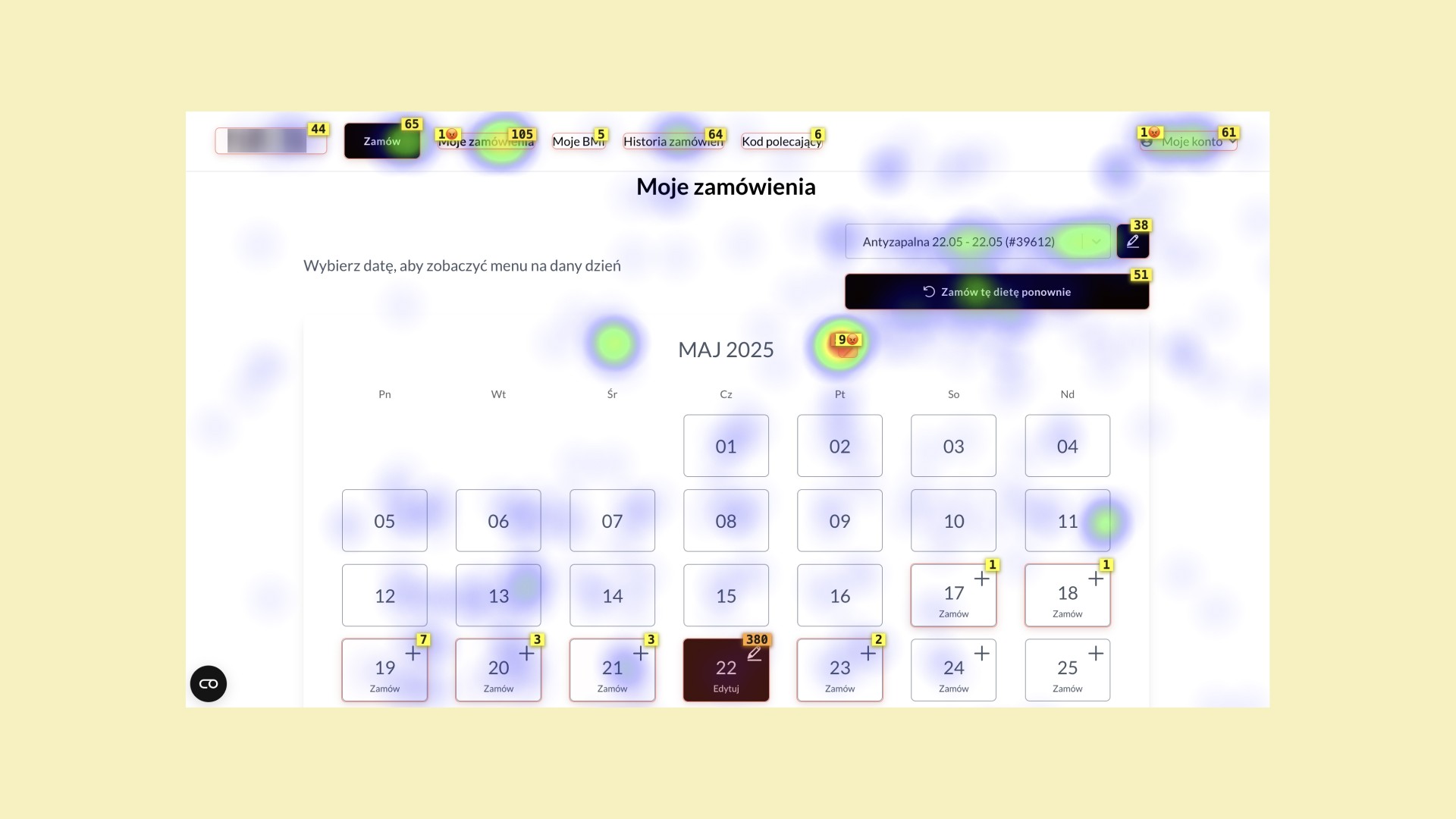
Users with multiple diet subscriptions struggled to track and manage their orders, leading to errors and a high volume of customer support tickets. Client interviews and session recordings revealed significant usability issues:
Users couldn't see all diet subscriptions in one place — a separate calendar was displayed for each diet.
Users didn't notice the diet selection dropdown — which made them think their orders were missing.
The calendar always opened on the current month rather than the month with active orders — resulting in rage-clicking through the month navigation.
IMPACT
fewer support tickets
lower operational costs
MY RESPONSIBILITIES
User research
Wireframing
Hi-fi design
Usability testing
SOLUTION
One calendar where all orders are visible at a glance
I redesigned the order management experience to consolidate all diet subscriptions into a single calendar. This eliminated the need to toggle between separate views and gave users immediate clarity on all their orders. Key improvements:
Multi-diet calendar view
Each diet is color-coded for instant visual distinction.
Diet periods are marked with rounded corners at start and end dates. This makes it easy to identify where each diet begins and ends, with gaps between orders clearly visible.
Clicking on a diet opens a detailed order view for that day.
Instant diet overview
Replaced the dropdown diet selector with prominent cards displaying key information for the user.
Hovering a card highlights the corresponding diet on the calendar.
If a diet is scheduled for a different month, the calendar auto-navigates to show those dates.
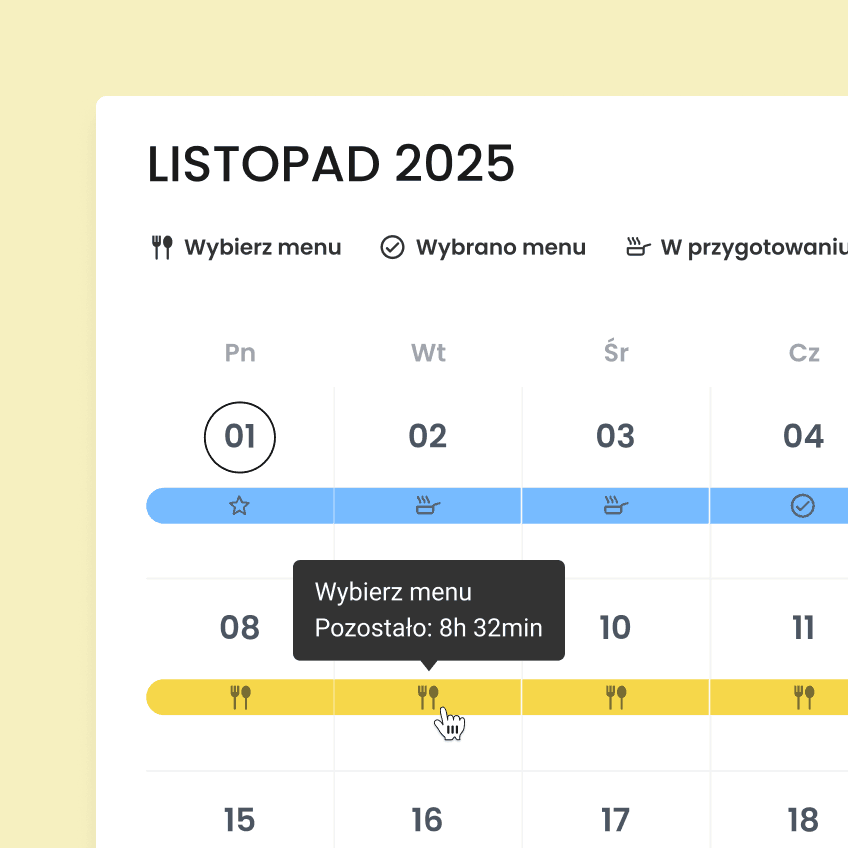
Order status indicators
Status icons with a legend make it easier to understand order state at a glance (added after prototype testing with users).
Hover tooltips reveal deadlines for actions (e.g. editing diet plans or choosing menu).
Seamless multi-device experience
The calendar adapts to smaller screens while maintaining full functionality.
On mobile, non-essential features (like renaming diets) were removed to avoid clutter.
The interface is touch-optimized so users can interact easily with diet cards and calendar elements on any device.
IMPACT
Success validated by user behavior data and major drop in support tickets
The redesign successfully addressed the core navigation problems. Prototype testing showed a 100% success rate in core tasks:
locating specific diets on the calendar,
interpreting status icons to identify action deadlines,
navigating to detailed order views for specific days.
Although quantitative metrics weren't accessible, the clients reported a significant decrease in support inquiries related to order errors and user confusion.
PostHog session recording analysis confirmed users no longer struggle to navigate between diets.
DESIGN CHALLENGES AND DECISIONS
Navigating complexity, edge cases, and white-label needs
Balancing impact and implementation effort
I explored several enhancements, including bulk actions across multiple diets. However, to ship quickly and solve the most pressing user problems, I focused on what users struggled with most—seeing all their diets in one place and navigating between them confidently.
Handling edge cases
Some users manage 10+ diets per day simultaneously. My solution scales progressively: status icons display when there are 1-2 diets per day, but hide when 3+ diets overlap (too small to be readable). Instead, a "+N" indicator reveals additional diets on click while dynamically adjusting bar height to prevent excessive stretching.
Brand adaptability
As a white label product, the design adapts to different brand identities. The system maintains visual hierarchy and usability across custom fonts and color palettes.
